How to broadcast remotely using BUTT
What you'll need
- DJ account credentials (username and password)
- a device running Linux, Windows or MacOS
- a microphone (can be built in your device)
- internet connection
- BUTT ↗ (Broadcast Using This Tool) software
Setting up
Open up BUTT and go to:
Settings > Main > Server Settings > Server > ADD
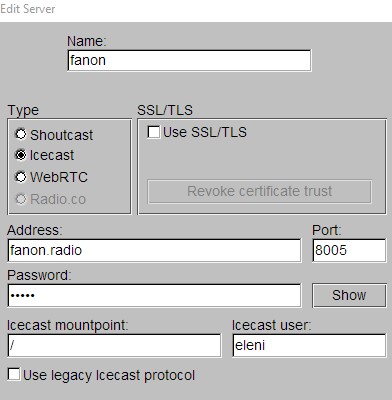
Name: a name for the server, only you can see this!
Type: Icecast
Address: fanon.radio
Port: 8005
Password: your DJ account password
Icecast mountpoint: /
Icecast user: your DJ account username
Then, click save.
Go Live!
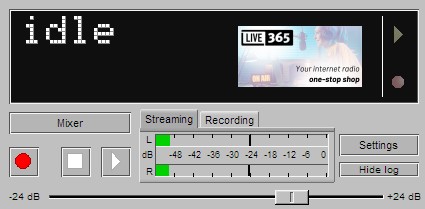
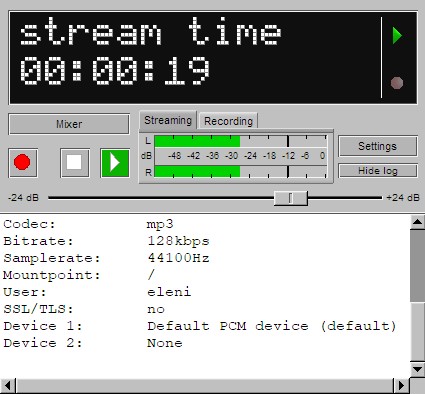
If you are scheduled, you can go live by clicking on the play button.
Mixing inputs
To broadcast both the mic input and your computer's audio (for example, you want to play music or interview someone remotely)
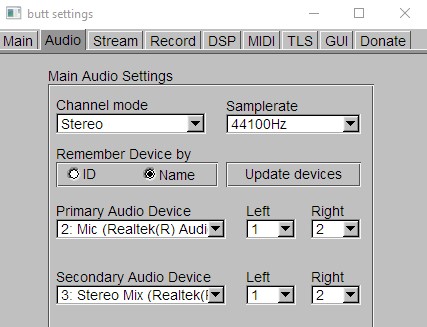
In Settings > Audio You can configure your audio devices, so that you can control them while broadcasting using the mixer.
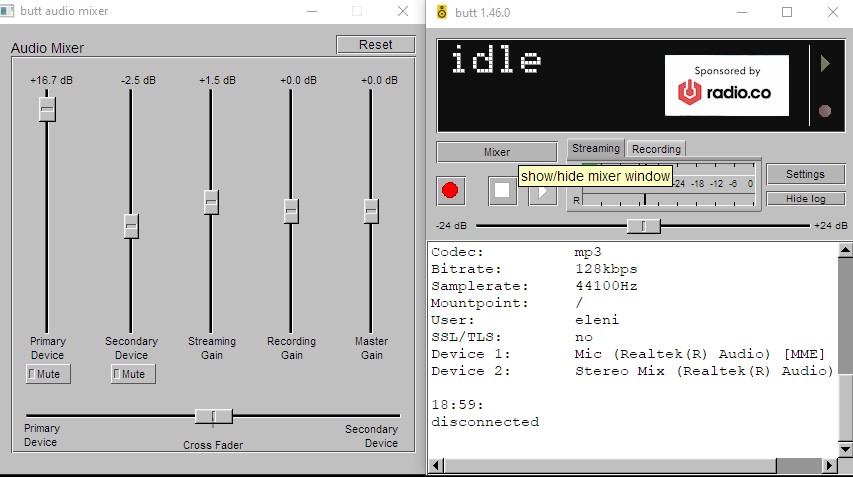
Play around with the gain to find the right balance for your show!